To top up LivU coins on Codashop, you need to enter your user ID. Please follow these steps to find your LivU account ID:
|
|
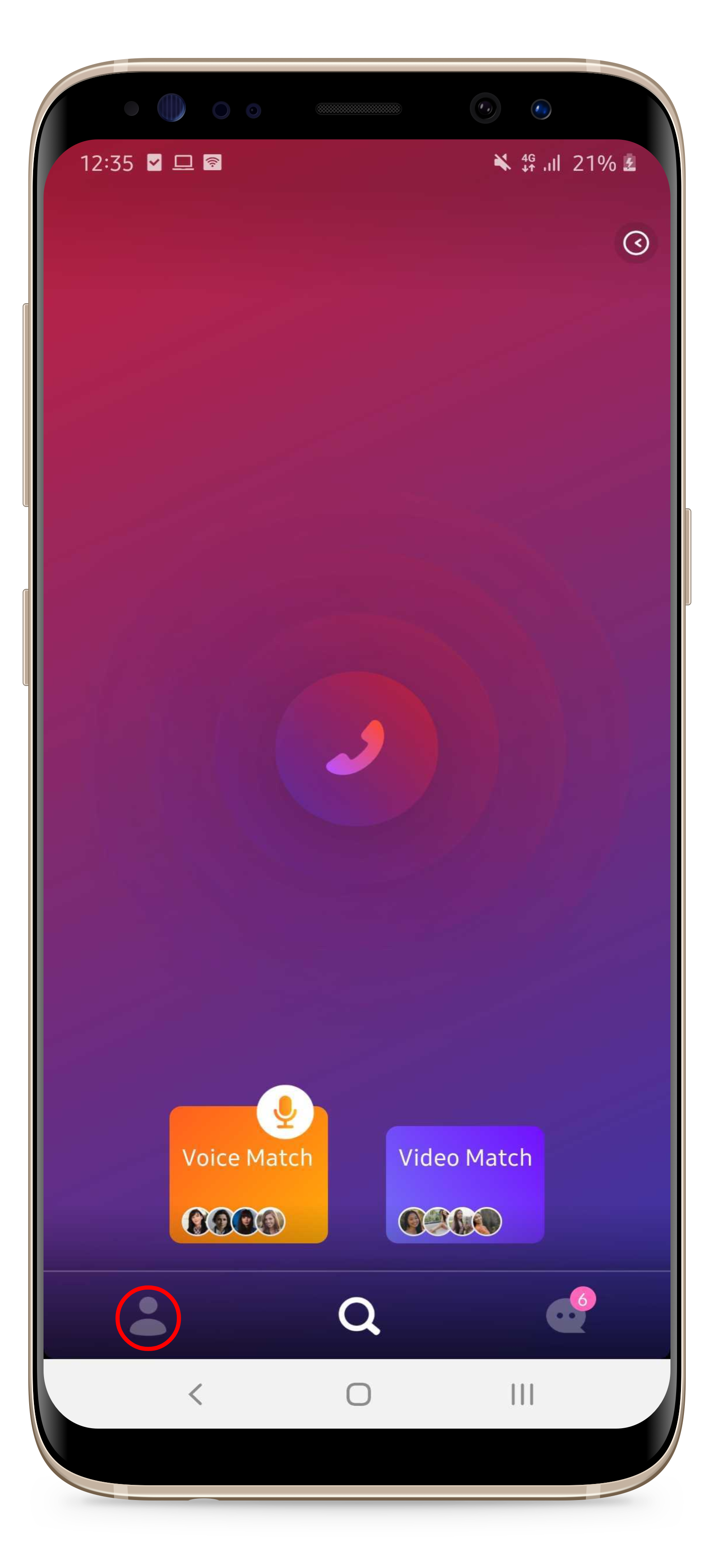
1. Open your LivU application and enter the account menu by clicking the account button at the bottom left of the screen;
|
|
|
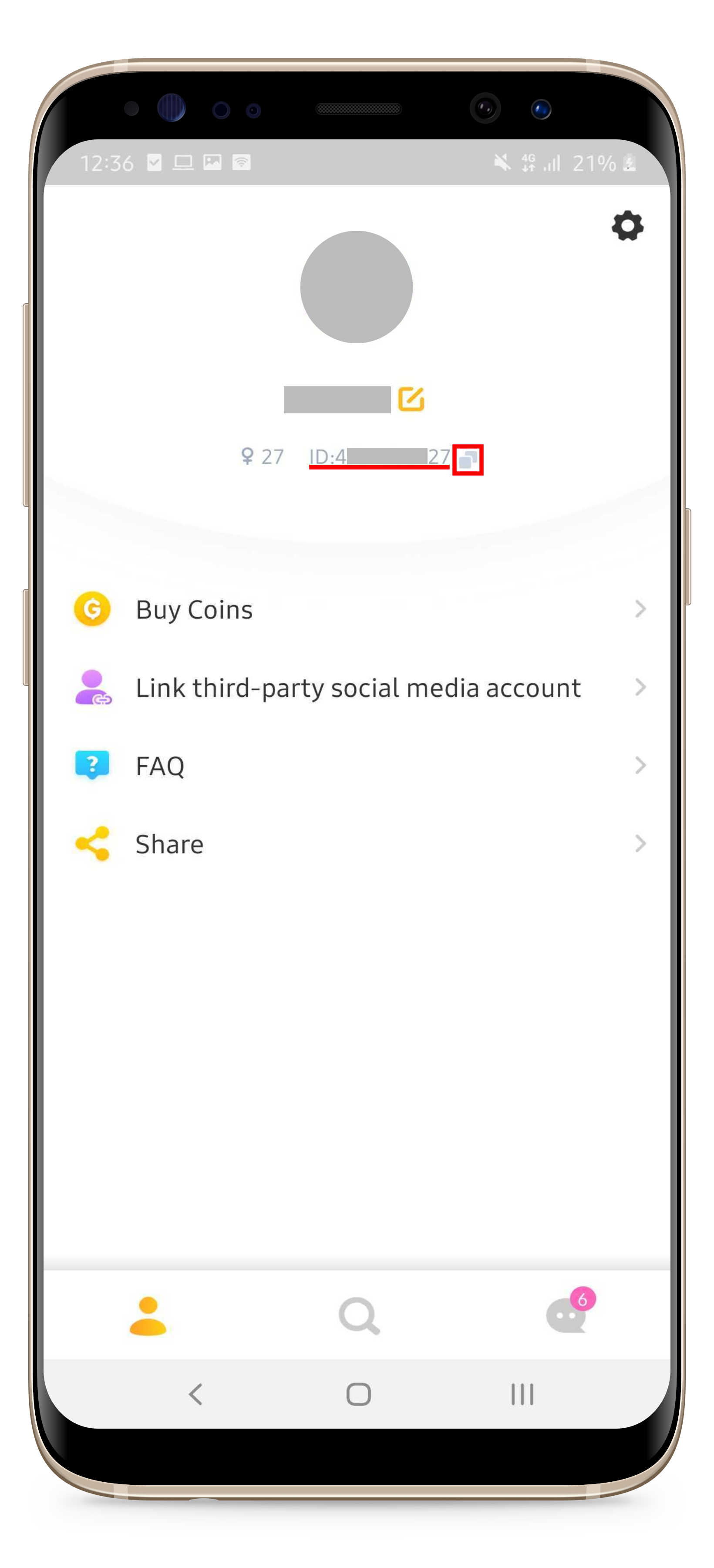
2. You will find your LivU ID under your photo and account name. Please click the "Copy" button next to the ID to copy the ID. |